
Building your own 5/3/1 assistance programs
Wendler Log ships with a library of assistance templates, and every one of them is editable. Here is how to change them or build your own from nothing.

Where the programs live
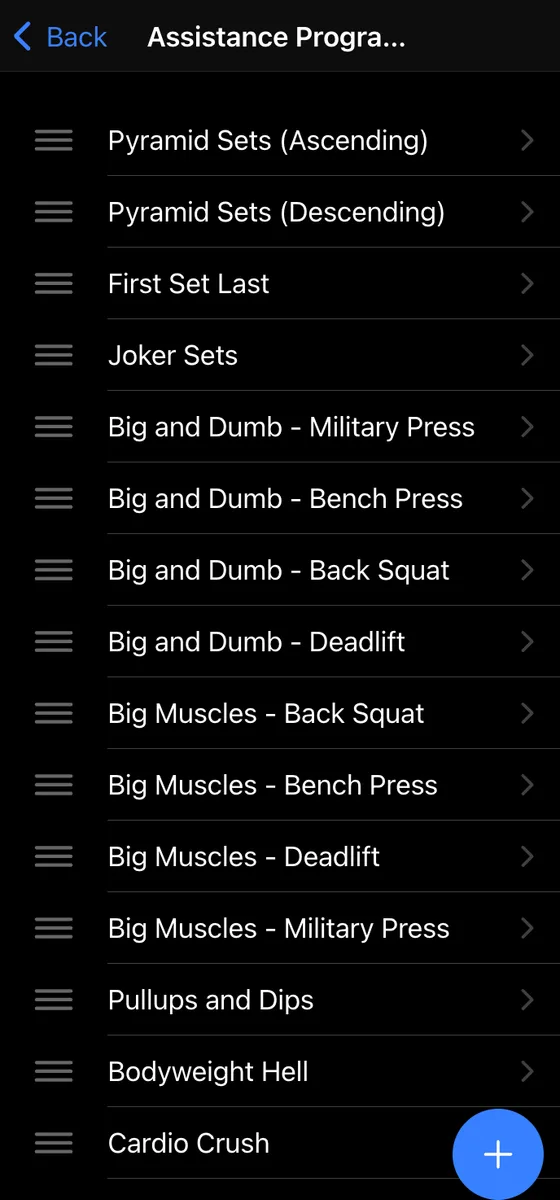
Open the Settings tab and tap Assistance Programs. This screen holds everything available to you: the stock templates and anything you have built. Tap a row to open it, or use the + button in the corner to start a new one.
Programs are not tied to a particular lift day. Any program can be run after any main lift, so a template named for the bench press day is a suggestion, not a rule.
The handles on the left let you drag rows into whatever order you want. Worth doing once you have built a few of your own, because this list is what you pick from mid workout and you do not want to be scrolling past a dozen templates you never use.
Editing a program
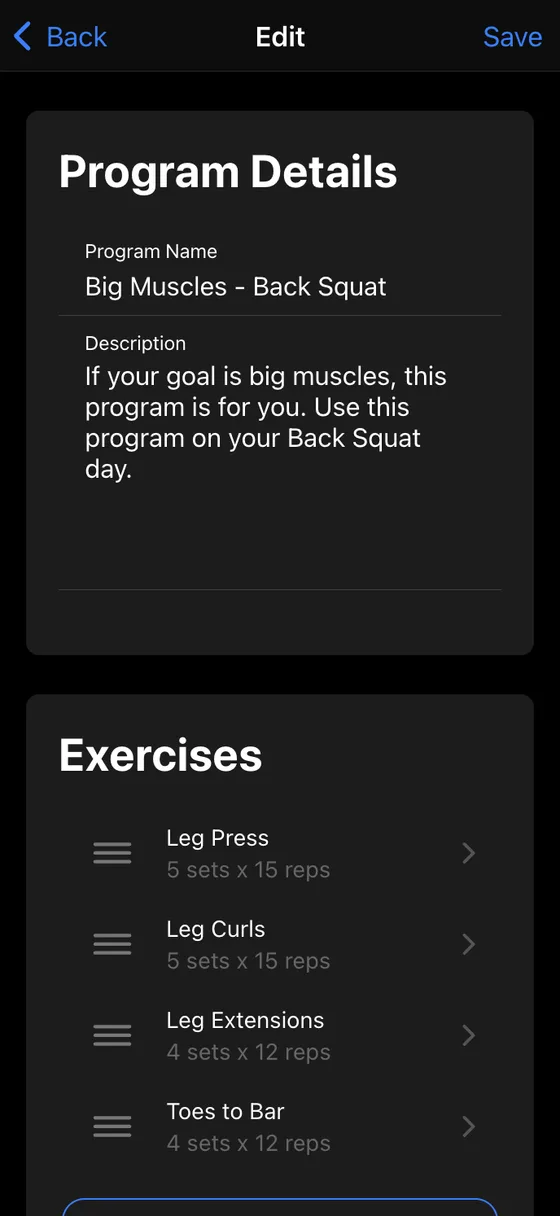
A program is a name, a description and a list of exercises. The description field is more useful than it looks. Put the rules of the program there: rep targets, when to add weight, what to do if you miss. It is the thing you will read six weeks from now when you have forgotten why you set it up this way.
Add movements with Add Exercise. There is no cap on how many a program can hold. Exercises have drag handles too, so reordering them is the same gesture as reordering the programs themselves, and Delete at the bottom removes the whole program.
Editing a stock template overwrites it. If you want the original kept intact, create a new program instead. It takes about the same amount of time.
Choosing the exercise type and how it loads
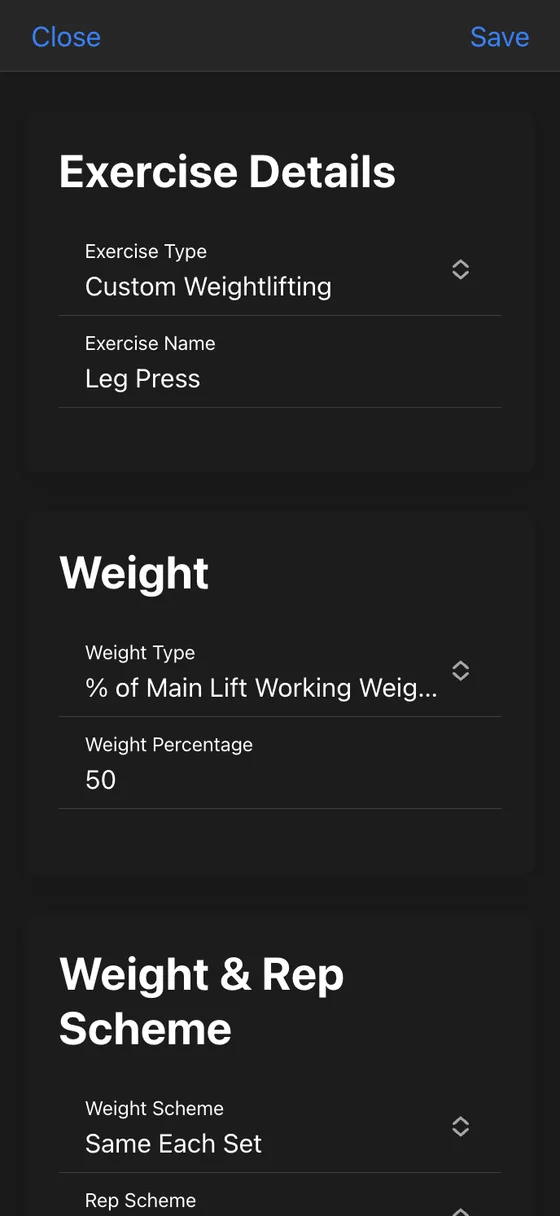
Every exercise is configured on its own. Start with the type:
- Custom Weightlifting: weight, reps and sets
- Custom Bodyweight: reps and sets, no load
- Same as Main Lift: mirrors whatever the day's main lift is
- Misc: no reps or sets, for things like swimming or conditioning
Then decide where the weight comes from. This is the part that decides whether a program is still useful a year from now:
- % of Main Lift Working Weight: 50% of a 120 lb press gives you 60 lb
- % of Other Lift Working Weight: load rows off your bench press number, or front squats off your back squat
- % of Main Lift First Set: the classic first set last approach
- Joker Sets: heavier work above the day's top set
- Set Weight: an exact figure that never moves
Percentages are what make an assistance program scale with you. Set them once and the weights climb as your main lifts climb, instead of drifting further from the right load every cycle. Fixed weight still makes sense where the load is decided by the equipment or by what is comfortable, like carries and ab work.
Sets, reps and the rest timer
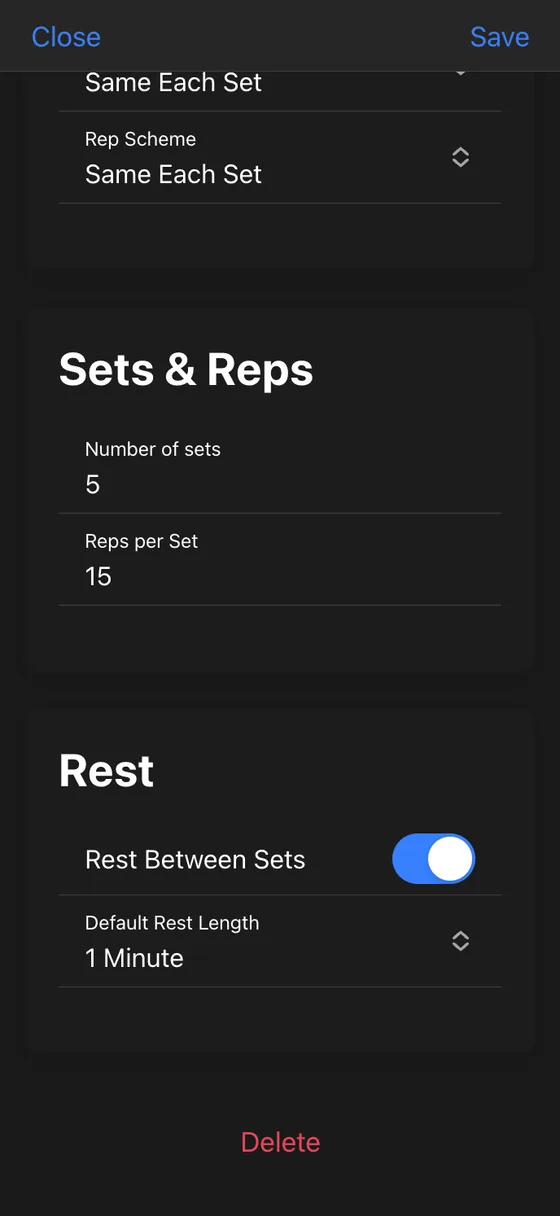
Sets and reps are plain numbers, but the schemes above them are where the more interesting programs come from. Weight Scheme can hold the load flat, add weight each set, or subtract it, which is how you get ascending and descending pyramids out of a single exercise. Rep Scheme does the same for reps, and adds one more option worth knowing about.
AMRAP (Track and Beat) turns the exercise into an open ended set. The app shows what you managed last time as a target, prompts you for the reps you actually hit, and keeps the record so the following week has a number to beat. It is the closest thing to automatic progression on accessory work, and it costs nothing to switch on.
Each exercise also carries its own rest settings: whether a timer appears between sets at all, and how long it runs, from one to ten minutes. Curls and heavy front squats do not need the same rest, so they do not have to share a setting.
Running it in a workout
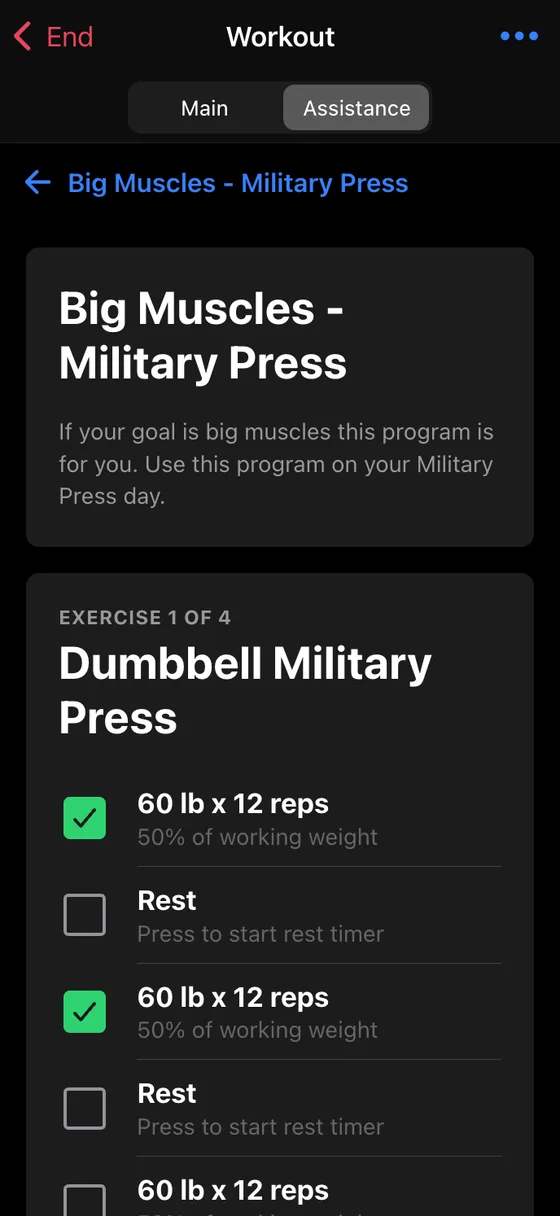
During a session, tap the Assistance tab at the top of the workout screen and pick a program. Every exercise is laid out in one scroll with its sets, its calculated weights and its rest rows, and a counter tells you where you are in the program.
Tick sets off as you go. When you finish a movement, tap Complete Exercise to log what you actually did, so the assistance work lands in your history next to the main lifts instead of disappearing the moment you close the app.
Get the app
Wendler Log is free to download on iPhone and Android. See what it does →